
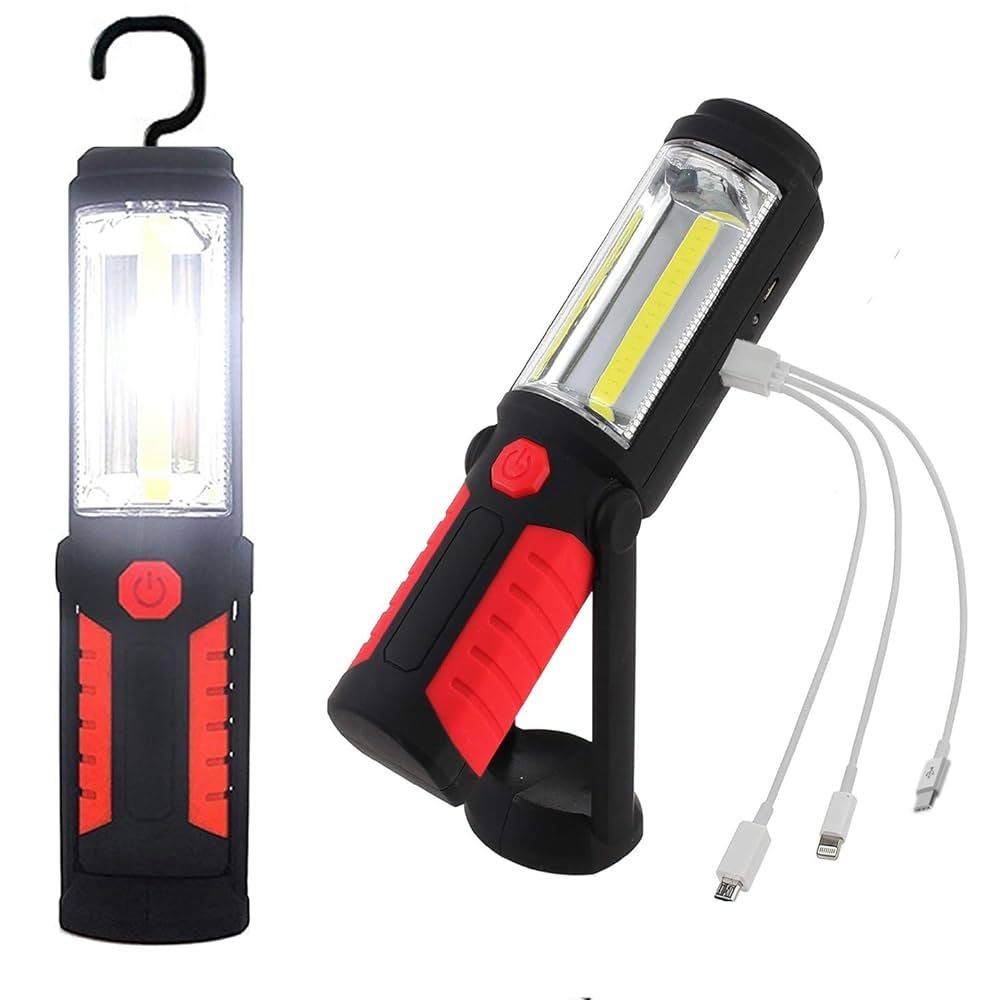
Are you struggling to get the most out of your rechargeable work light? Knowing how to charge it properly can save you time, extend your light’s battery life, and keep your workspace bright when you need it most.
In this guide, you’ll discover simple steps and smart tips that make charging your work light easy and efficient. Stick with me, and you’ll never have to worry about a dim or dead light again. Let’s get your work light powered up the right way!
Types Of Rechargeable Work Lights
Rechargeable work lightsuse different battery technologies. The most common are lithium-ionand nickel-metal hydride (NiMH). Lithium-ion batteries are lighter and last longer. NiMH batteries are cheaper but heavier and have shorter life. Some work lights use lead-acid batteriesfor bigger models. Each battery type needs special care for charging.
Charging methodsvary by work light type. Some lights use USB charging, which is easy and common. Others have docking stationsfor quick charging. Some models support solar charging, good for outdoor use. Fast chargers reduce charging time but can heat batteries. Using the correct charger keeps batteries safe and lasting longer.

Credit: www.amazon.ca
Preparing Your Work Light For Charging
Ensure the work light is turned off and clean before charging. Connect the charger to the proper port and plug it into a power source. Charge in a dry, safe place to protect the light and battery.
Cleaning The Contacts
Clean the charging contactsbefore connecting the charger. Use a dry cloth to remove any dirt or dust. Dirty contacts can stop the light from charging properly. Avoid using water or wet cloths to clean the contacts. Check both the light and charger contacts for any buildup. A small brush can help if dirt is stuck. Clean contacts help ensure a good connectionfor charging.
Checking Battery Status
Check the battery status before charging. Some lights have a battery indicator. If the light does not have one, try to remember how long you used it last time. Batteries that are very low may take longer to charge. Avoid charging the battery for too long to prevent damage. Keep the work light in a cool, dry place while charging. This helps the battery stay healthy and last longer.
Step-by-step Charging Process
Rechargeable work lights often use USB chargersfor power. Connect the USB cable to the light and plug the other end into a power source like a wall adapter or computer. Charging usually takes a few hours. A small light on the device may show charging status. Avoid using damaged cables for safety.
Dedicated charging stationsare designed for specific work light models. Place the light securely on the station. The station plugs into an outlet and charges the light automatically. These stations often charge faster and protect the battery better. Always follow the manufacturer’s instructions for best results.
Safety Tips While Charging
Always use the charger that comes with the work light to avoid damage. Charge in a dry, well-ventilated place away from heat sources. Unplug the light once fully charged to prevent overcharging and extend battery life.
Avoiding Overcharging
Always use the charger that came with the light. Check the manual for charging times. Set a timer to remind you to unplug. Overcharging can hurt the battery. Never charge overnight without supervision. This can cause damage. Always charge in a safe, cool place. Keep away from flammable materials.
Preventing Short Circuits
Inspect your charger and cables for any damage. Replace immediately if there are frays or cuts. Keep the charger and light dry at all times. Water can cause short circuits. Always plug the charger into a stable outlet. Avoid using extension cords or adapters. These can cause surges. Unplug when not in use to be safe.
Troubleshooting Charging Issues
Common problemsinclude the light not charging or charging very slowly. Check the charger and cable for any damage. Dirt or dust on the charging port may block power flow. Try cleaning the port gently with a dry cloth. Sometimes, the battery or charger is faulty. Using a different charger can help find the issue. Charging in very cold or hot places can also cause problems. Keep the light at room temperature during charging.
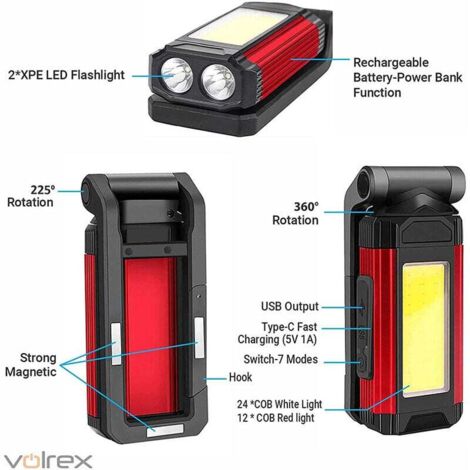
When to replace batteriesdepends on how long the light holds a charge. If the light dies quickly or won’t charge at all, the battery might be old or damaged. Batteries usually last between 1 to 3 years. Swollen or leaking batteries must be replaced immediately. Use only the correct battery type for your work light. Always follow the manufacturer’s advice for battery care and replacement.
Credit: www.manomano.co.uk
Extending Battery Life
Charge your work lightusing the charger made for it. Avoid using fast chargers not meant for the device. Always unplug once fully charged to protect the battery. Overcharging can shorten battery life.
Keep the battery between 20% and 80%charge for best results. Avoid letting it drop to zero often. Partial charges help the battery last longer.
- Store the work light in a cool, dry place.
- Avoid extreme heat or cold to protect the battery.
- If not using for a long time, charge it to about 50%.
- Check and recharge every few months to keep the battery healthy.

Credit: www.amazon.ca
Frequently Asked Questions
How Long Does It Take To Fully Charge A Work Light?
Most rechargeable work lights take 3 to 6 hours to fully charge. Charging time varies by battery capacity and charger type. Always refer to the manufacturer’s instructions for precise charging duration to ensure optimal battery health and performance.
Can I Use The Work Light While Charging It?
Using the work light during charging depends on the model. Some allow it, but others may not. Check your work light’s manual to avoid damaging the battery or electrical components. Using it while charging can reduce battery lifespan in some cases.
How Do I Know When My Work Light Is Fully Charged?
Most rechargeable work lights have indicator lights showing charging status. A red light usually means charging, while green indicates full charge. If no indicator exists, check the manual for specific signs or recommended charging times to prevent overcharging.
What Type Of Charger Is Best For A Rechargeable Work Light?
Use the charger provided by the manufacturer or one with matching voltage and current ratings. Avoid cheap or incompatible chargers, as they can damage the battery or reduce its lifespan. Proper chargers ensure safe and efficient charging.
Conclusion
Charging your rechargeable work light is simple and saves money. Always use the charger that comes with your light. Keep the light in a cool, dry place while charging. Avoid overcharging to protect the battery life. Regular charging helps your light work longer and brighter.
Follow these steps to keep your work light ready for any task. Stay safe and efficient with a fully charged light every time.
