

Imagine controlling your digital smoker right from your phone without stepping outside every few minutes. Sounds convenient, doesn’t it?
Using WiFi or Bluetooth with your digital smoker can make smoking meat easier and more precise than ever. You’ll save time, get better results, and enjoy the process more. You’ll discover simple steps to connect your smoker wirelessly and tips to get the most out of this smart feature.
Ready to take your smoking game to the next level? Keep reading!
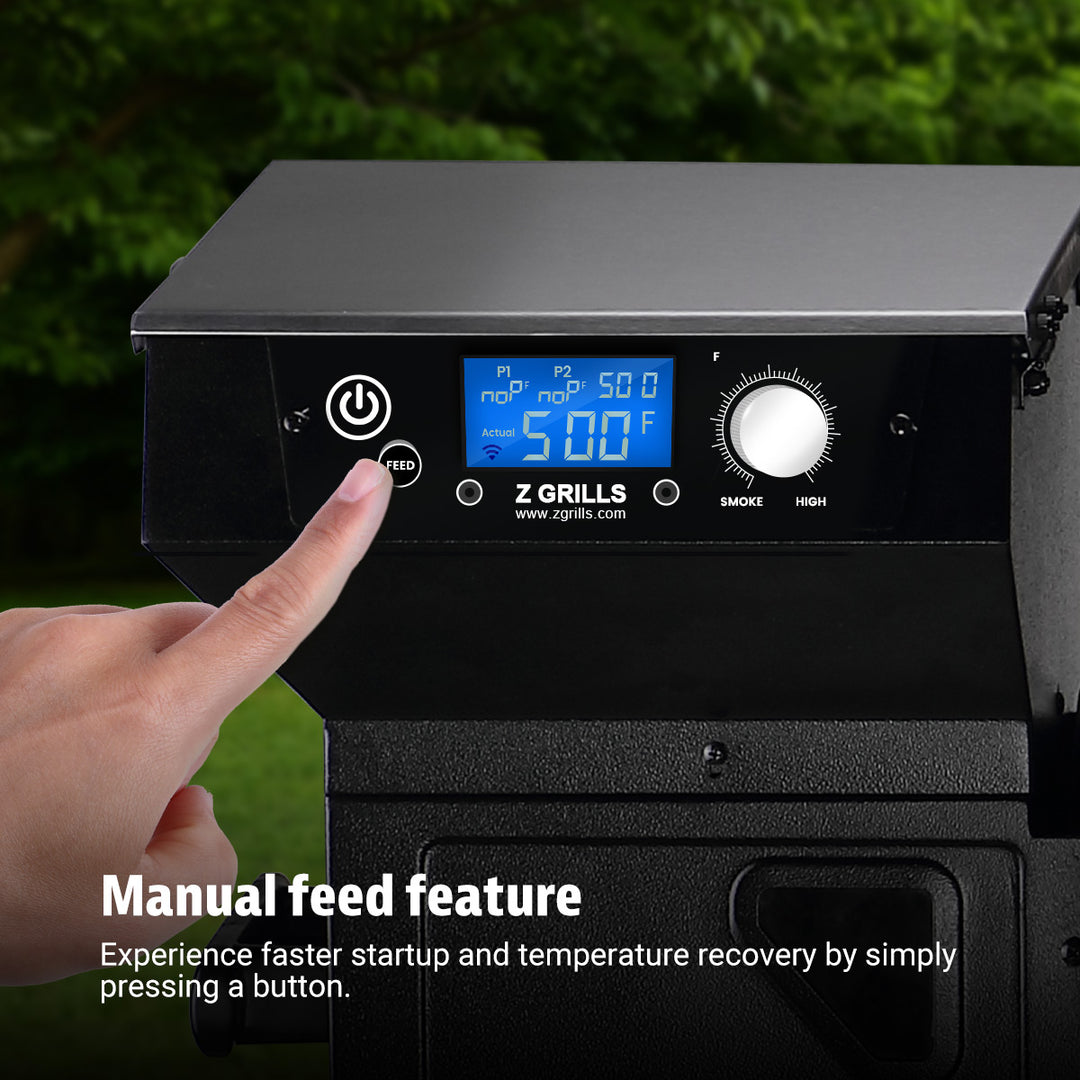
Credit: www.zgrills.com
Choosing Between Wifi And Bluetooth
Choosing between WiFi and Bluetooth for your digital smoker can impact how you monitor and control your cooking. Each connection type offers unique advantages depending on your setup and needs. Understanding these differences helps you pick the option that fits your smoking style and tech environment.
Range And Connectivity
WiFi generally covers a broader area, allowing you to control your smoker from anywhere within your home network or even remotely through the internet. Bluetooth has a much shorter range, usually around 30 feet, which means you need to stay closer to the smoker.
If you like to move around your backyard or even check your smoker from inside the house, WiFi might be more convenient. On the other hand, if you usually stay near the smoker, Bluetooth’s range might be enough and can save you some setup hassle.
Compatibility With Devices
Most smartphones and tablets support both WiFi and Bluetooth, but not all devices handle them equally well. WiFi requires connecting to your home network, which might involve more steps but offers more stable connections on multiple devices.
Bluetooth pairs directly and quickly, making it easier to set up if you’re using just one device. Consider how many devices you want to connect and whether you prefer a simple pairing process or a more robust network connection.
Data Transfer Speed
WiFi offers faster data transfer speeds, which means quicker updates on temperature and cooking status. This can be crucial if you’re monitoring multiple parameters or want real-time alerts without delay.
Bluetooth transfers data more slowly, which might cause minor delays in updates. However, for basic temperature monitoring, this speed is usually sufficient and won’t affect your cooking experience much.
Setting Up Wifi On Your Digital Smoker
Setting up wifi on your digital smoker lets you control the temperature and monitor your cooking progress from anywhere in your home. This convenience can change how you manage long smoking sessions, freeing you from constantly checking the device. The process is straightforward but requires careful attention to your network settings and app configuration.
Connecting To Home Network
Start by powering on your digital smoker and locating its wifi settings. Most models create a temporary hotspot for initial setup, so connect your phone or tablet to this network first.
Open your device’s wifi settings, find the smoker’s network name, and join it. Then, use the smoker’s app or built-in interface to select your home wifi network and enter the password carefully.
Double-check your password to avoid connection errors. Once connected, your smoker should display a confirmation message or show up as online in the app.
Configuring Smoker App
After connecting to your home wifi, open the smoker’s app on your phone or tablet. You’ll need to link the app to your smoker, usually by entering a unique code or scanning a QR code displayed on the smoker’s screen.
Customize settings such as temperature alerts, cooking timers, and smoke levels to suit your preferred smoking style. Take a moment to explore the app’s control panel and notifications options.
Have you noticed any extra features like recipe sharing or cloud cooking logs? These tools can enhance your smoking experience by helping you track progress and replicate perfect results.
Troubleshooting Wifi Issues
If your smoker won’t connect or keeps dropping off the network, first check the wifi signal strength near your smoker. Walls and distance can weaken the signal, so moving your router or adding a range extender might help.
Restart your smoker and your router to refresh the connection. Sometimes, simply toggling the wifi off and on in the app or device resolves minor glitches.
Still having trouble? Verify that your router supports the frequency band your smoker uses (2.4 GHz is common). Also, ensure no firewall settings or network restrictions block the device.
What’s your plan if none of these work? Contacting customer support or checking online forums for your smoker model can provide model-specific fixes and tips from other users.
Using Bluetooth With Your Digital Smoker
Connecting your digital smoker via Bluetooth lets you monitor temperature and control settings from your phone. Simply pair the device, then use the app to adjust cooking without being near the smoker. This makes smoking meat easier and more convenient.
Using Bluetooth with Your Digital Smoker Bluetooth technology can transform your digital smoking experience, making it more convenient and efficient. Imagine being able to monitor and control your smoker without having to hover over it constantly. With Bluetooth, this is entirely possible, offering you more freedom as you perfect your smoking techniques.Pairing Devices
To get started, ensure your smoker and smartphone are Bluetooth-compatible. Turn on Bluetooth on your device and search for available connections. Once your smoker appears in the list, simply select it to pair. It’s as easy as pairing your wireless headphones!App Controls And Features
Most digital smokers come with a dedicated app that can be downloaded from your device’s app store. This app typically allows you to set temperature, cooking time, and even alerts for when your food is ready. This means you can enjoy your favorite shows or mingle with guests while staying in control of your smoker.Managing Bluetooth Interference
Bluetooth interference can be a real issue, especially if you have multiple devices in use. Keep your smartphone within a reasonable range of the smoker to maintain a stable connection. Consider moving other Bluetooth devices away from your cooking area to minimize interference. Have you ever had a perfect smoking session ruined by lost connection? By managing interference, you ensure a seamless and enjoyable cooking experience.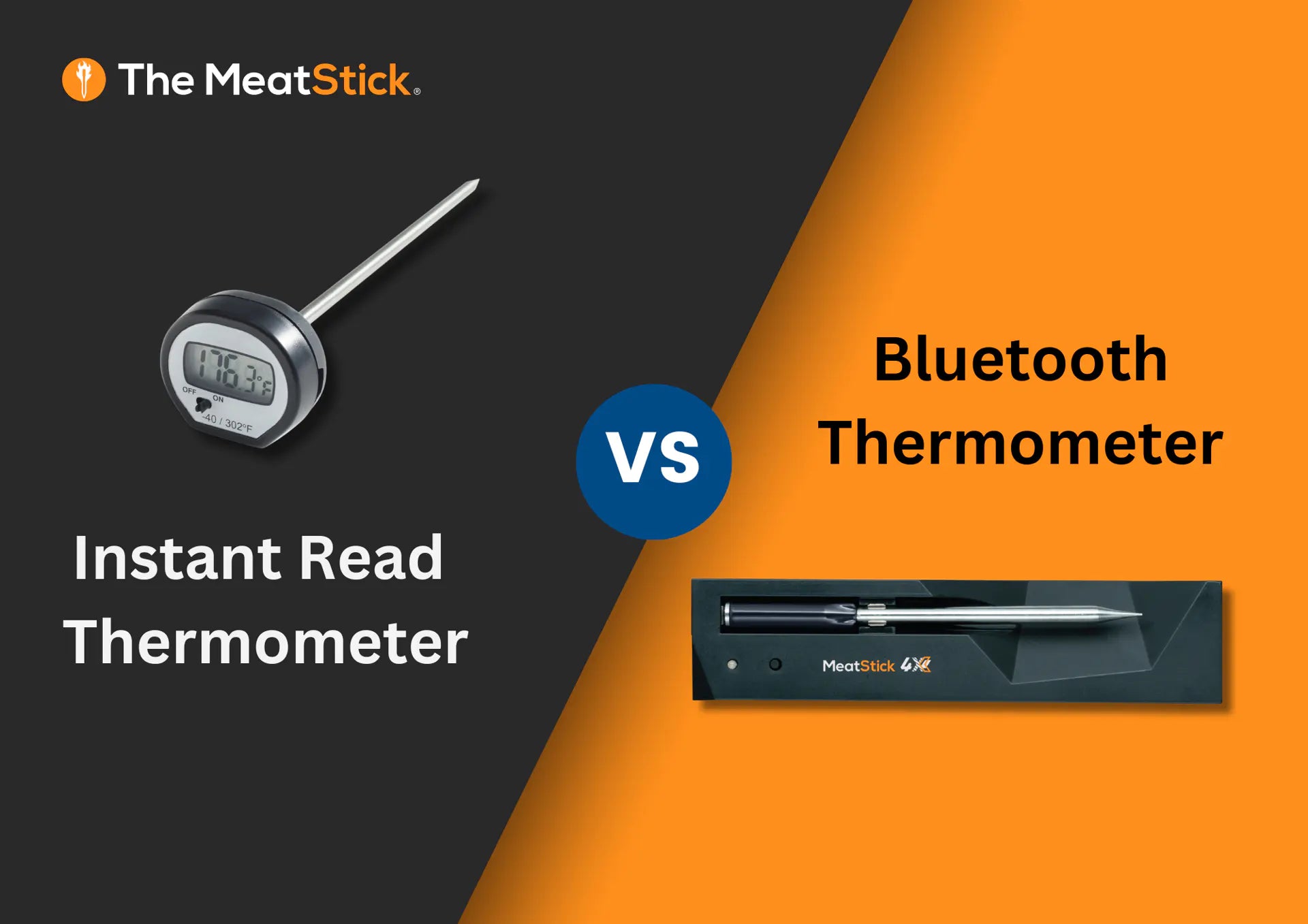
Credit: themeatstick.com
Maximizing Remote Control Benefits
Using WiFi or Bluetooth on your digital smoker opens up a world of convenience and control. You can manage your cooking without standing next to the smoker the entire time. This means more freedom to enjoy other activities while ensuring your food cooks perfectly.
Monitoring Temperature Remotely
One of the biggest advantages is watching your smoker’s temperature from your phone or tablet. You don’t need to open the smoker and lose heat just to check if it’s on track. This real-time monitoring keeps you informed and helps avoid overcooking or undercooking.
Imagine sitting in your living room, comfortably tracking the exact temperature inside the smoker. This lets you focus on your guests or relax without constantly going back and forth to the backyard. Have you ever wished you could keep an eye on your food without being tied to the grill?
Adjusting Settings On The Go
WiFi or Bluetooth connectivity lets you tweak temperature and cooking time from anywhere. If you notice the temperature rising too fast, you can lower it right away with a simple tap on your phone. This flexibility prevents ruined meals and saves you from stressful last-minute adjustments.
Picture this: You’re entertaining friends indoors and realize the smoker needs a temperature change. Instead of rushing outside, you adjust settings on your device while still socializing. How much time and effort could you save by controlling your smoker remotely?
Receiving Alerts And Notifications
Your smoker can send alerts to your phone when something important happens. You’ll get notified if the temperature drops unexpectedly or when your food reaches the perfect doneness. These alerts help you stay in control without constant checking.
Think about the peace of mind you get from knowing your smoker will tell you when it needs attention. This feature is especially useful if you’re multitasking or away from home for a short time. How often have you missed the perfect moment to take food off the smoker?
Security Tips For Wireless Connections
Using WiFi or Bluetooth on your digital smoker makes grilling easier and smarter. Wireless connections add convenience but also bring security risks. Keeping your connection safe protects your device and personal data from hackers.
Follow simple security tips to enjoy a smooth and secure smoking experience. Protect your network, keep software updated, and stop unauthorized access. These steps help you control your digital smoker safely.
Protecting Your Network
Use a strong password for your WiFi network. Avoid common words or simple numbers. Change the default router password right away. Enable WPA3 or at least WPA2 encryption for better security.
Separate your digital smoker on a guest network if possible. This limits access to your main devices. Turn off WiFi or Bluetooth on the smoker when not in use. This reduces the chance of hacking.
Updating Firmware And Apps
Check for updates regularly on your smoker’s firmware. Updates fix security flaws and improve performance. Also, update the controlling apps on your phone or tablet. Use official apps only to avoid malicious software.
Set your device to update automatically if the option is available. This helps keep security tight without extra effort. Outdated software is a common way hackers gain access.
Avoiding Unauthorized Access
Limit the number of devices connected to your smoker. More devices mean more chances for intruders. Use two-factor authentication on the app if supported. This adds an extra layer of protection.
Monitor your network for unknown devices regularly. Disconnect any device you do not recognize. Avoid connecting your smoker to public or unsecured WiFi networks.
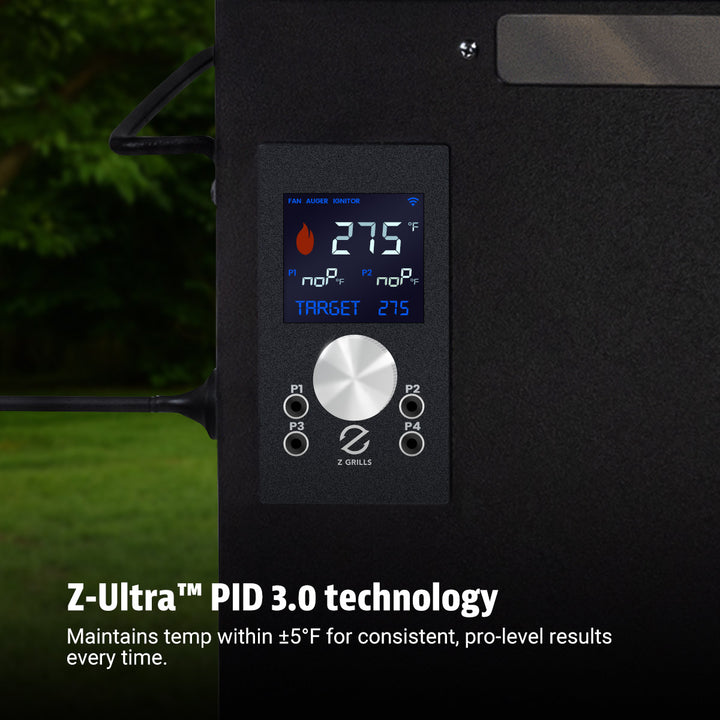
Credit: www.zgrills.com
Common Problems And Fixes
Using WiFi or Bluetooth on your digital smoker can make grilling more convenient, but it’s not always smooth sailing. You might face some common issues that interrupt your cooking or frustrate your experience. Understanding these problems and how to fix them helps you stay in control of your smoker without hassle.
Connection Drops
Connection drops can happen when your digital smoker suddenly loses its link to your phone or tablet. This often occurs if you move too far from the smoker or if there are obstacles like walls between the devices.
Try moving closer to the smoker to see if the connection stabilizes. Also, turning the smoker and your device off and on again can reset the connection. Keeping your app updated ensures you have the latest fixes that may improve connectivity.
App Crashes
App crashes can interrupt your cooking session and cause frustration. These crashes often happen due to bugs in the app or compatibility issues with your phone’s operating system.
- Make sure your app is the latest version by checking for updates regularly.
- Restart your phone before opening the app to clear temporary glitches.
- If crashes continue, uninstall and reinstall the app to fix corrupted files.
Have you noticed if crashes occur during certain actions, like setting temperatures or timers? Reporting these details to the app developer can lead to quicker fixes.
Signal Interference
Signal interference is a sneaky issue that can weaken your Bluetooth or WiFi connection. Other wireless devices, microwave ovens, and even thick walls can block or distort the signal.
Try to place your smoker and controlling device away from other electronics. Using a WiFi extender or Bluetooth repeater can also boost the signal strength if you have a large outdoor area.
Think about the layout of your backyard or patio—can you rearrange your setup to reduce interference? Small changes can make a big difference in maintaining a strong connection throughout your cooking.
Future Trends In Wireless Smoking Tech
The future of wireless smoking technology is shaping up to make your grilling experience smarter and more hands-free. As digital smokers evolve, new features are emerging that put more control and precision at your fingertips. These advances not only save time but also help you achieve better smoking results with less guesswork.
Smart Home Integration
Imagine your digital smoker connecting seamlessly with your smart home devices. This means you could monitor and adjust your smoker from the same app you use for lights and thermostats. You won’t have to walk back and forth to check temperatures; everything happens in one place.
Some models already sync with apps like Google Home or Amazon Alexa, giving you centralized control. This integration allows for scheduling, alerts, and remote management, making your smoking sessions more convenient and consistent.
Voice Control Features
Voice commands are becoming a game-changer for wireless smokers. Instead of fumbling with your phone or smoker controls, you can simply speak your instructions. Saying “Set smoker to 225 degrees” or “Check the meat temperature” can save you time and keep your hands free for other tasks.
These features improve safety, especially when you’re multitasking outdoors. Voice control can be particularly handy when your hands are messy from handling marinades or wood chips.
Enhanced Sensor Technology
Sensors in digital smokers are getting smarter and more accurate. They can now track temperature changes inside the smoker and the internal temperature of your meat with greater precision. This technology ensures you get perfectly cooked results every time.
Advanced sensors can also detect fluctuations caused by weather or opening the smoker door. They adjust the heat automatically to maintain steady cooking, which means fewer surprises and more reliable smoking.
Frequently Asked Questions
How Do I Connect Wifi To My Digital Smoker?
To connect WiFi, download the smoker’s app and create an account. Turn on the smoker’s WiFi mode. Follow app instructions to find and connect to your home network. Ensure your phone and smoker are on the same WiFi for proper control and monitoring.
Can I Control My Digital Smoker Via Bluetooth?
Yes, many digital smokers allow Bluetooth control. Enable Bluetooth on your phone and the smoker. Open the smoker’s app to pair devices. Bluetooth offers a reliable, short-range connection for adjusting temperature and monitoring smoking progress without needing WiFi.
What Are Wifi And Bluetooth Benefits On Digital Smokers?
WiFi lets you control your smoker remotely from anywhere with internet access. Bluetooth provides close-range, quick setup control without internet. Both improve convenience, allowing you to monitor temperature and cooking time easily, enhancing your smoking experience with smart technology.
Is Bluetooth Or Wifi Better For Digital Smoker Use?
WiFi is better for long-distance control and real-time updates anywhere. Bluetooth suits close-range use and quick connections without internet. Choose based on your needs: WiFi for remote access, Bluetooth for simple, local control during smoking sessions.
Conclusion
Using WiFi or Bluetooth on your digital smoker makes cooking easier. You can check the temperature without standing near the grill. Control settings from your phone anytime you want. This saves time and helps you cook food just right. Enjoy the convenience and better results with simple steps.
Try these tips and enjoy smoking with less hassle. Technology helps you focus on flavor, not just fire. Keep experimenting and have fun with your digital smoker.

